Status: draft | Audience: contributors building or reviewing the live video grid | See also: Audio.md, Tracking.md, ../development/TechStack.md
Video
This document is part of the design set indexed at ../README.md; it covers only the video panel — the grid of live camera feeds EAA broadcasts during AirVenture (flightline, runways, seaplane base, workshops area, and others). For the ATC radio streams, see Audio.md; for the flight-tracking panel, see Tracking.md.
Intent
Many eyes on the field at once. Activity during AirVenture is spread across the whole airport at the same time: aircraft on the flightline, warbirds and ultralights operating off their own runways, seaplanes on the base at Lake Winnebago. No single camera covers all of it. The video panel's job is to let the operator — see Personas.md — watch several of these areas simultaneously, each feed identifiable at a glance, without a browser-tab shuffle to go check what's happening somewhere else.
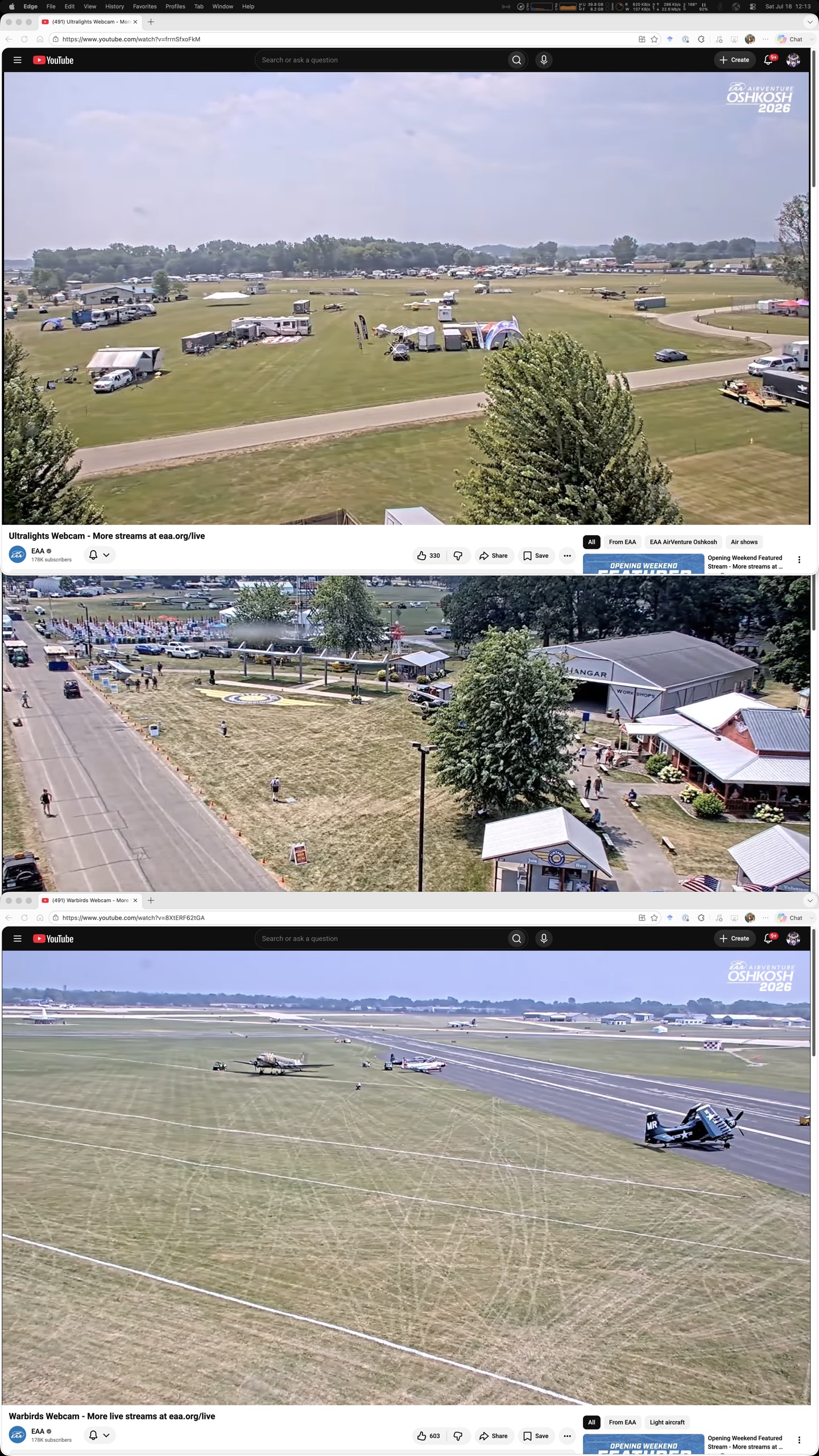
The prototype this replaces is exactly that shuffle: a stack of browser tabs, one per feed, flipped through one at a time (see the portrait screenshot, assets/prototype-2026-07-18-portrait.jpg — three stacked webcam tabs is what "many eyes on the field" looks like without a grid). The panel puts every configured feed on screen at once, instead of behind a tab strip.
Attention still has to go somewhere, though. When one area gets busy, that feed should be able to fill the frame without banishing the rest off-screen. Emphasis follows attention: any feed can be promoted and demoted again, and the rest of the grid keeps running the whole time.
Features
-
Feed sourcing. A curated default list of EAA streams ships with the app, plus a human-editable config file for adding, removing, or swapping feeds (decision 2026-07-18). Because the broadcaster's lineup shifts — sometimes daily — an on-demand "list currently-live EAA streams" refresh (planned, not built) scans the channel and shows what's live right now, to help pick feed IDs when the lineup changes. It is a manual, on-demand action only; the panel deliberately does not poll in the background for new streams (decision 2026-07-18).
-
Layouts. Two layouts: a uniform grid, every feed the same size, and an emphasized layout, one large tile plus a thumbnail rail for the rest. Double-click promotes a feed into the large slot. "Fullscreen" primarily means filling the entire video panel with one feed — no other app chrome competing for space — with true fullscreen available for anyone who wants the feed alone on screen. This emphasis is scoped to the video grid only; the flight-tracking panel has its own independent emphasis and resize, described in Tracking.md.
-
Stream identity. Every tile carries a name and a live/offline badge, visible at all times, so a glance identifies what's on screen without reading a URL or a tab title. Hovering a tile reveals its audio controls, which otherwise stay out of the way so the grid stays visually calm when the operator isn't interacting with it.
-
Per-feed audio. Each tile has its own volume slider and mute toggle. This is also where the video panel's audio story ends: every tile is the broadcaster's own embedded player (YouTube's IFrame player today; see ../development/TechStack.md), so the panel has no raw access to its audio graph the way the ATC engine does — no activity detection, no ducking, no stereo pan, no output-device routing. Muting a feed silences it but never hides it: the same principle that keeps an ATC stream's activity light alive while muted (see Audio.md) applies here — visibility and audibility are independent controls.
-
Per-tile quality adjustment. Each tile can have its quality set independently to manage decode load under stress. Quality options match YouTube's standard offerings: 360p, 480p, 720p, 1080p (and higher if available from the broadcaster). Defaults are set in the config file, and the operator can adjust any tile's quality at runtime through the UI (revealed on hover alongside audio controls). When a tile is emphasized or full-screened, its quality automatically jumps to the highest available and reverts to its prior setting when de-emphasized — so a feed of interest gets the sharpest picture without the operator touching a control. This lets the operator stress-test at maximum quality initially, then find the right quality balance for their hardware without rebuilding the app (decision 2026-07-18).
-
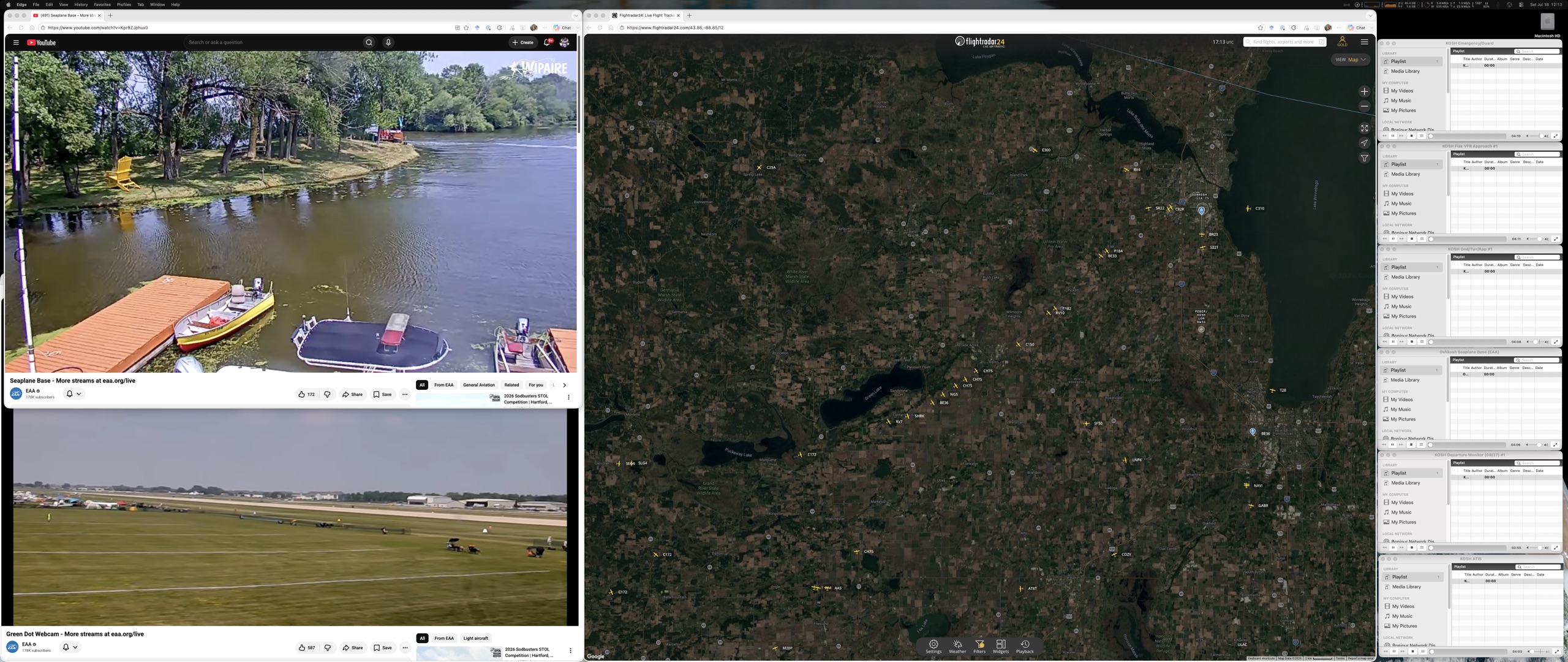
Pop-outs and restore. Any subset of feeds, in their own layout, can be carried into a pop-out window for a second or third monitor — multi-monitor is a first-class use, not an afterthought (today's hand-arranged setup already spans two monitors out of necessity; see assets/prototype-2026-07-18-landscape.jpg). Every layout, feed assignment, and pop-out window restores exactly on relaunch (decision 2026-07-18) — the operator arranges once for the week, not once per session. Two pop-outs are combined through an explicit "Merge into…" control in each pop-out window, never by dragging one window onto another — Electron has no reliable window-onto-window drop target (decision 2026-07-20). Picking another open pop-out from the list moves this window's feed(s) — carrying their per-feed volume/mute — into the target, which re-grids to show the combined set, and closes this window.
Risks and known limitations
-
Feed identities rotate. The broadcaster starts new live streams — often daily during the show — so a configured feed can go stale once its underlying stream ends and a new one starts under a new identity. Mitigated by the editable config list and the on-demand refresh helper, but it's not automatic: someone has to notice and update the config.
-
Embedding is the broadcaster's choice, not ours. The feeds are embeddable today (verified), but that permission belongs to the broadcaster and could change without warning, with no fallback beyond linking out to the platform directly.
-
Decode cost scales with tile count and quality. Every simultaneous stream costs decode resources, scaling with both the count of feeds and their quality settings. The operator manages this through per-tile quality adjustment: setting feeds to lower resolutions reduces decode load without removing them from view. Tile size naturally moderates quality too — a smaller tile pulls lower quality from the broadcaster regardless of the quality setting — so the grid layout itself is a lever alongside explicit quality control.
-
Audio is capability-bounded. Same boundary as above: no activity detection, ducking, pan, or per-feed output-device routing on video audio, because the panel doesn't own the audio graph (see Audio.md).
-
A pop-out can wake up on the wrong screen. If the monitor a pop-out was placed on is disconnected at launch, the window still has to appear — on a connected monitor — instead of opening off-screen and invisible.
Expected outcomes
- Five live feeds tile smoothly together on the alpha machine, all playing at once.
- Double-clicking a feed emphasizes it within about a second.
- Muting one feed never changes another feed's volume or mute state.
- Relaunching the app restores every video window, its layout, and its feed assignments exactly as they were left.
- A feed that goes offline shows its offline state on the tile — not a frozen frame or a black hole.
These are the observable exit criteria for the video pillar's build phases; see ../Implementation-Plan.md for current status.